Enabling federation / external access for Office 365
To enable federation/external access (i.e. communication with outside parties) for Office 365:
- Go to https://portal.office.com and login with a user that has Administrator credentials.
-
Select the tiles button in the upper left of the screen. Then select the gray button to take you to the .
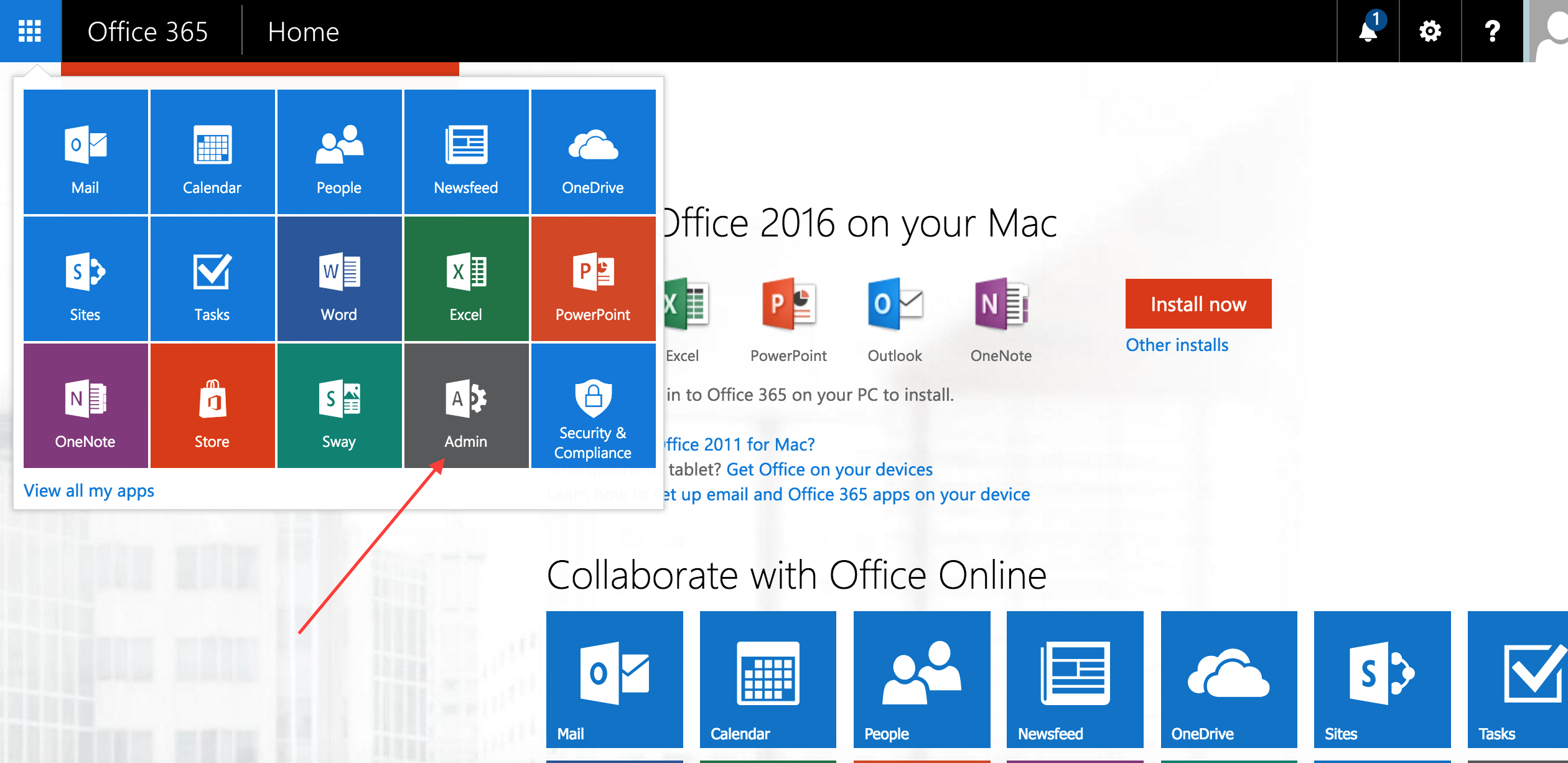
-
Within the , select labeled #1 in the picture below. Then select labeled #2 in the picture.
The opens in a new window.
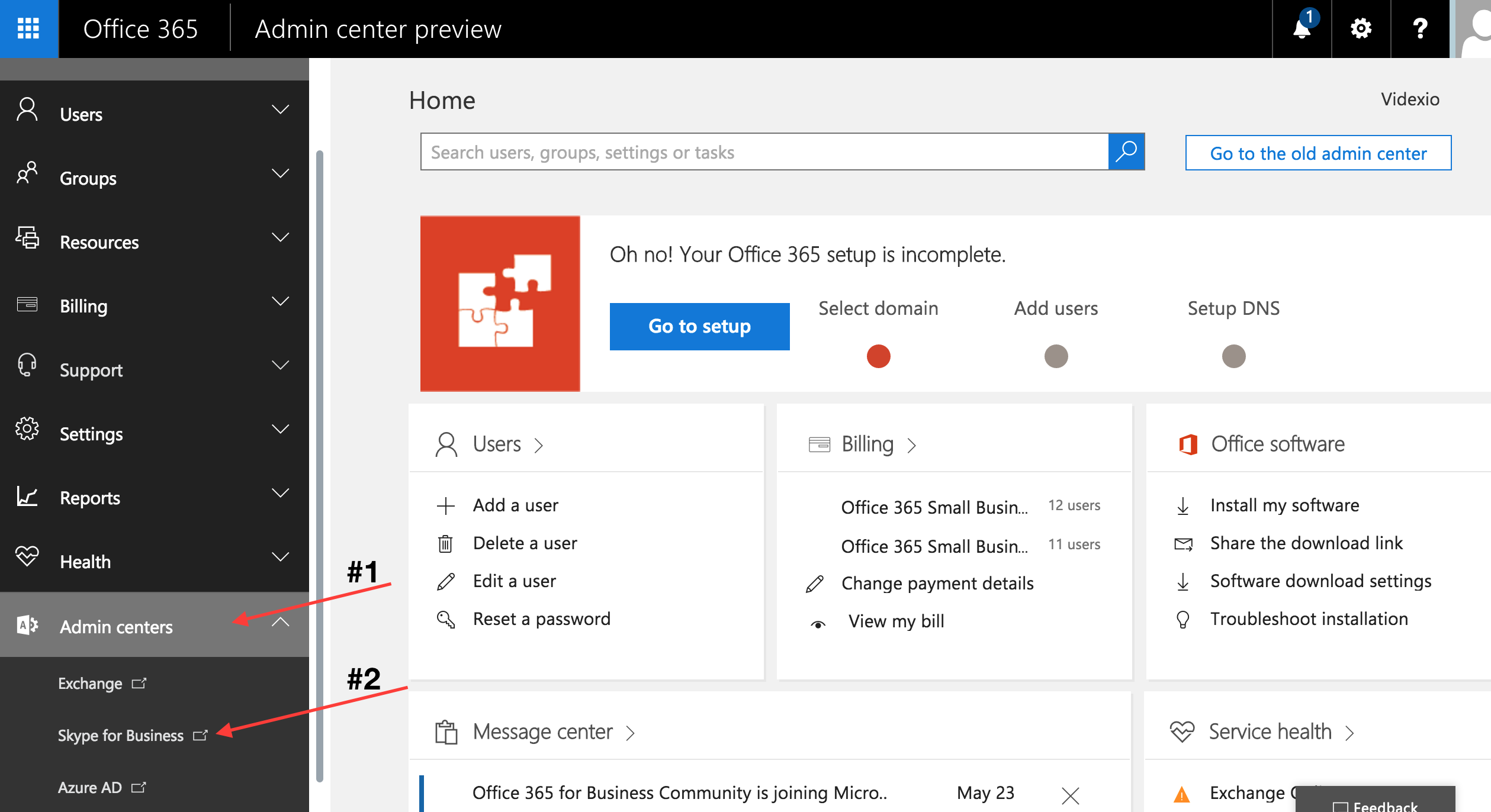
-
Set your federation options within the :
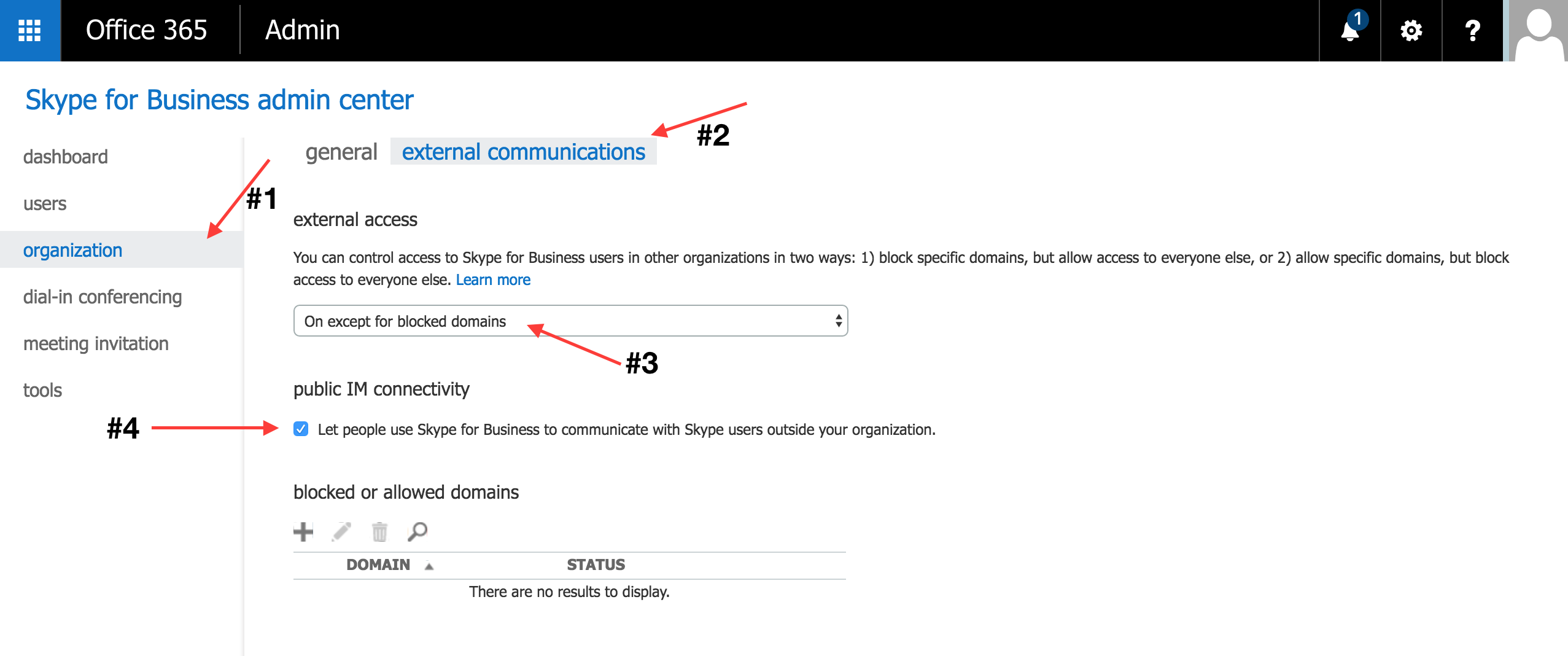
- Select labeled #1 in the picture below.
- Select labeled #2 within the picture.
- There is a pulldown menu under . We recommend selecting On except for blocked domains to allow communication with all outside parties, as shown in #3.
- You can optionally select the option labeled in #4 to allow complete federation with users outside your organization.
- Scroll to the bottom of the page and select .
While there is no published guidance we are aware of, we have found success in waiting 24 hours for these settings to fully propagate in Office 365.